Connect the Manager to the Match
- Identify the lineup’s offensive strengths, pitching plan, depth, and bonus structure.
- Earn and spend Manager Points where the manager’s basic influence needs to grow.
- Choose a current 2026 Style whose effect supports the players available.
- Select batting and pitching plans for the opponent and intended game script.
- Use plan changes and Special Plans when game state makes them valuable.
Manager Points Develop Skill and Styles
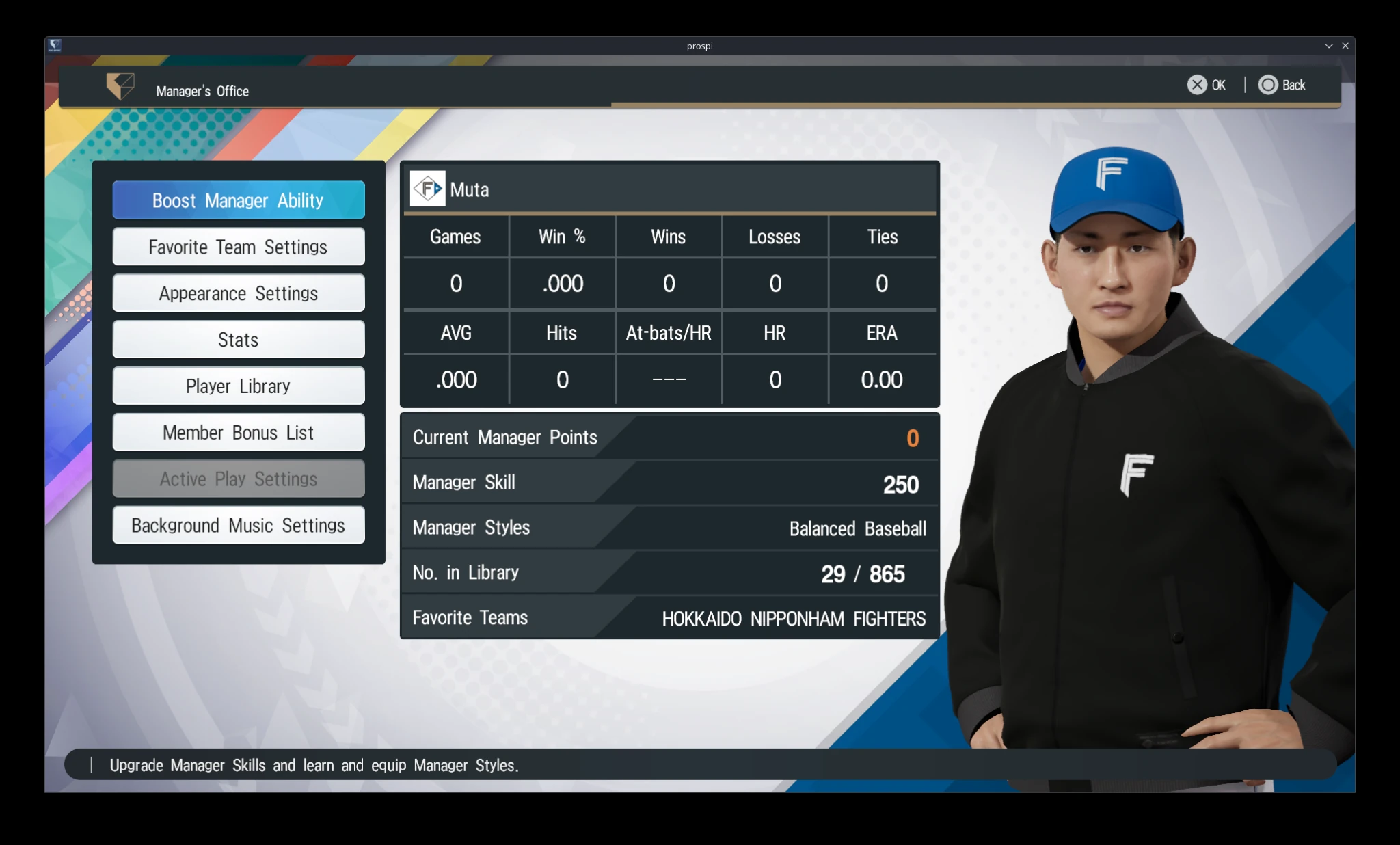
Manager Points raise Manager Skill and unlock new Manager Styles. The 2026 Help confirms that they come from playing eligible games and from Manager Growth items. Active Play does not award Manager Points, so select it only when direct control is more important than manager progression.
The Manager’s Office Owns Development
Use this screen to review Manager Skill, Manager Styles, records, and related settings before spending Manager Points.
Confirmed Manager Growth Items
| Item | Displayed effect |
|---|---|
| Manager Growth: Small | Adds 100 Manager Points |
| Manager Growth: Medium | Adds 500 Manager Points |
| Manager Growth: Large | Adds 1,000 Manager Points |
Manager Skill Affects the Whole Team
Manager Skill is the manager’s basic Grand Prix attribute. Higher Skill helps players perform better, while low Skill negatively affects player Condition. At maximum Manager Skill, the manager can issue Do or Die! up to twice in every game.
Manager Styles Are the Current 2026 System
Manager Styles provide special manager effects and are equipped through the Manager’s Office. Read the detail panel before choosing one, then match the effect to the actual squad and competition. Older labels such as Command Points, Command Ability, Manager Color, and Policy should not replace the current Manager Points, Manager Skill, and Manager Styles terminology.
Opening Plans Establish the First Matchup
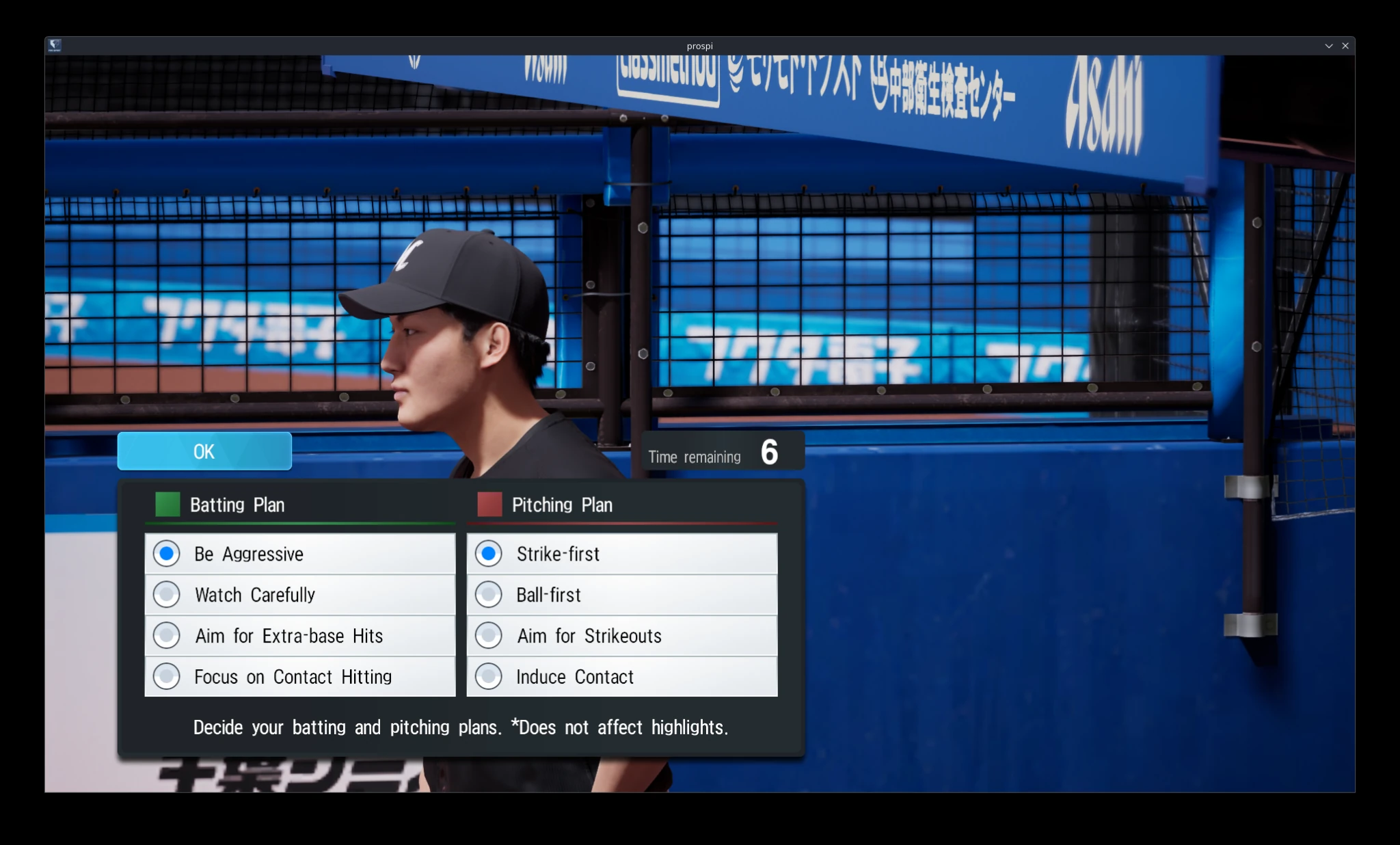
Before Manager Play, select one batting plan and one pitching plan. The setup screen states that these initial choices do not affect highlights. During the game, you can continue with the current plan or spend one of the remaining changes to select another.
Set Both Opening Plans Before the Game
The pregame screen places batting and pitching plans together and states that the initial choices do not affect highlights.
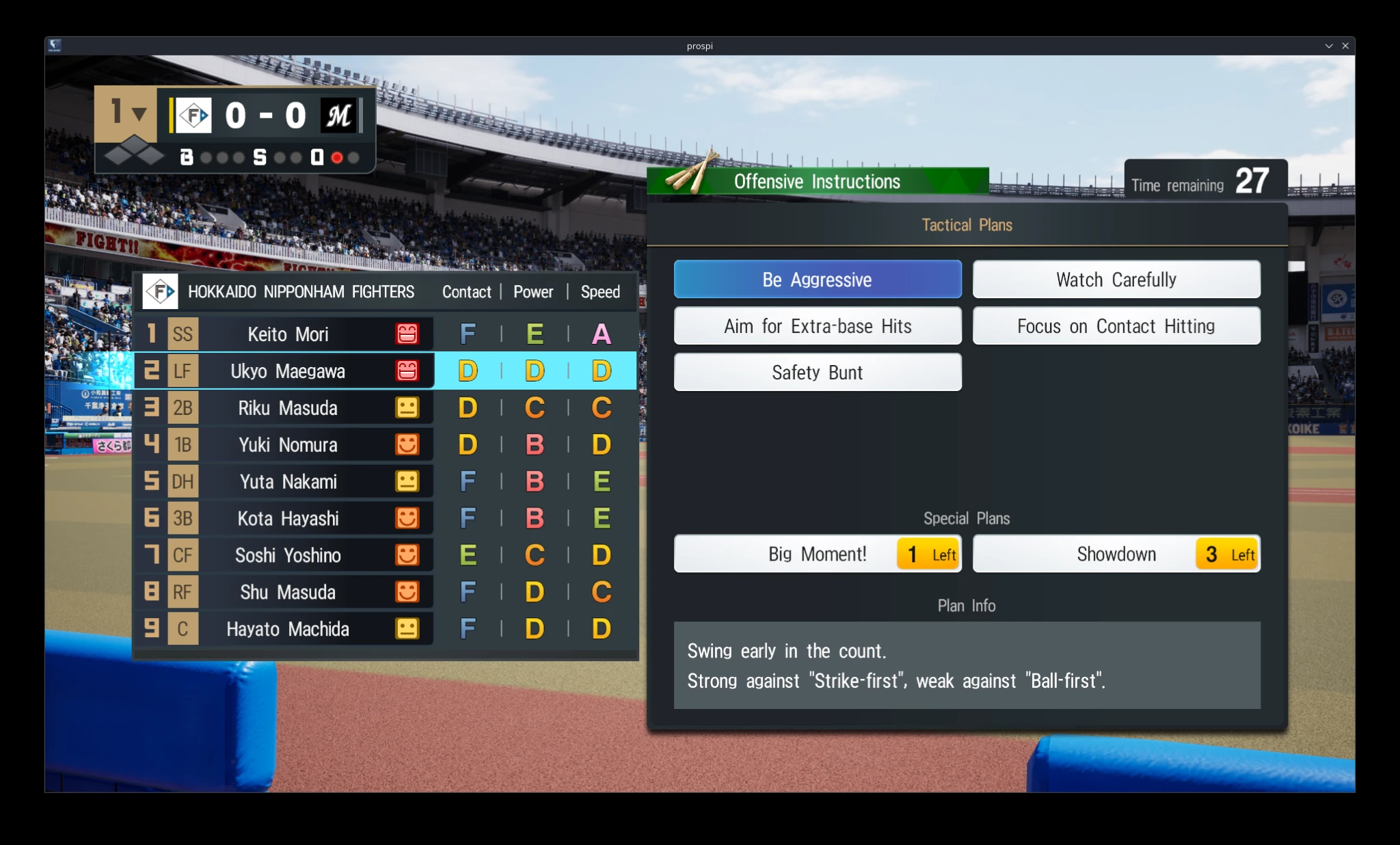
Offensive Tactical Plans
| Plan | Displayed purpose or matchup information |
|---|---|
| Be Aggressive | Swing early in the count; strong against Strike-first and weak against Ball-first |
| Watch Carefully | Selectable offensive plan; use the on-screen matchup information before confirming it |
| Aim for Extra-base Hits | Selectable offensive plan; use the on-screen matchup information before confirming it |
| Focus on Contact Hitting | Selectable offensive plan; use the on-screen matchup information before confirming it |
| Safety Bunt | Selectable offensive plan; use the on-screen matchup information before confirming it |
Offensive Plans Show Their Matchup Information
The selected offensive plan explains its purpose and visible strengths or weaknesses. Read the current detail instead of assuming every plan follows the Be Aggressive example.
Defensive Tactical Plans
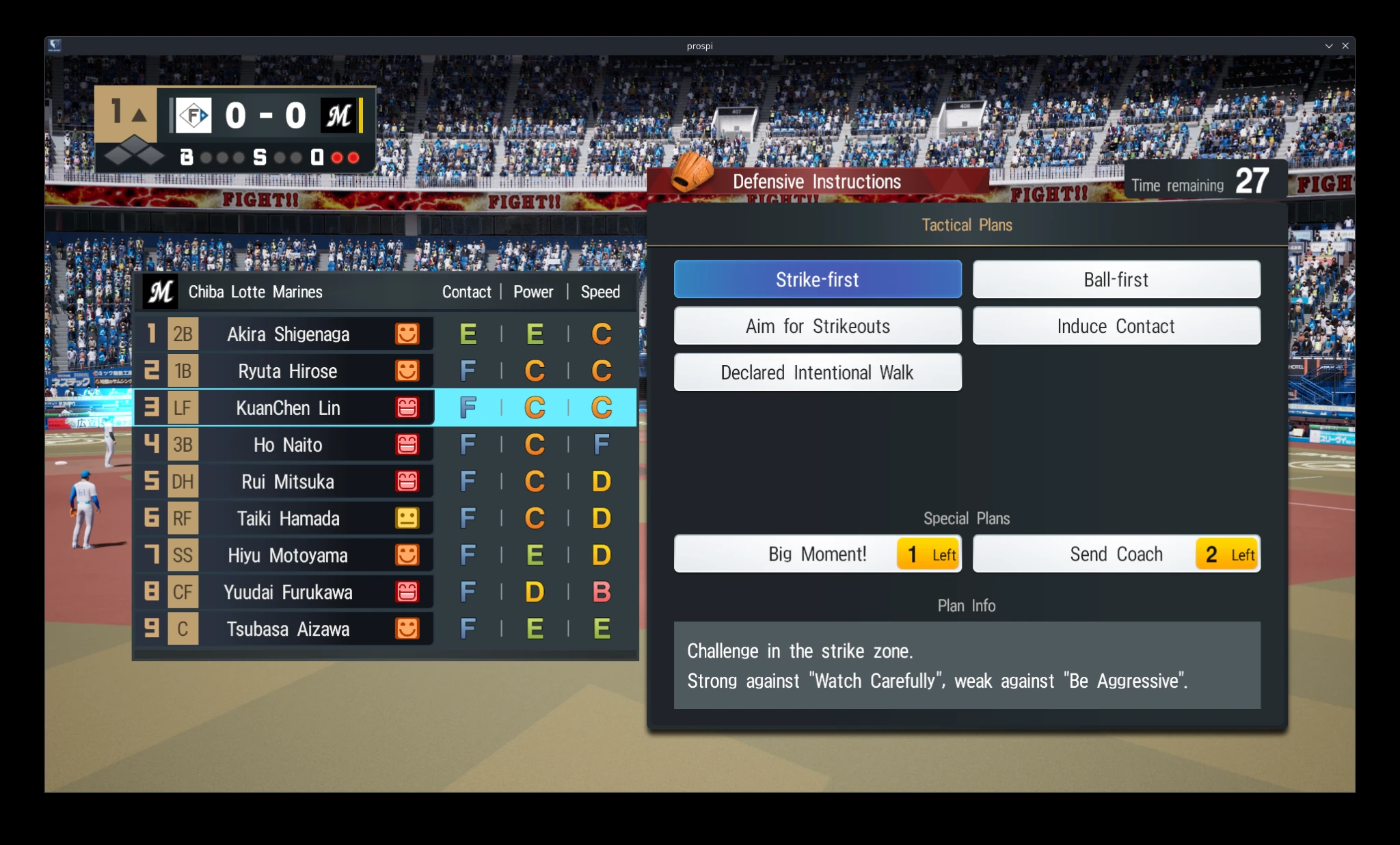
| Plan | Displayed purpose or matchup information |
|---|---|
| Strike-first | Challenge in the strike zone; strong against Watch Carefully and weak against Be Aggressive |
| Ball-first | Selectable defensive plan; use the on-screen matchup information before confirming it |
| Aim for Strikeouts | Selectable defensive plan; use the on-screen matchup information before confirming it |
| Induce Contact | Selectable defensive plan; use the on-screen matchup information before confirming it |
| Declared Intentional Walk | Intentionally walk the selected batter |
Defensive and Special Plans Share the Decision Screen
The defensive plan and limited Special Plans are visible together, helping you compare an ordinary matchup change with a rarer situational tool.
Special Plans Are Limited Leverage Tools
Big Moment!, Send Coach, and Showdown appear as limited-use Special Plans. The counter beside each shows remaining uses. Preserve them for situations where the effect can change a high-value inning, stabilize the team, or solve a matchup that ordinary plan selection cannot.
The Manager Play Decision Rule
- Compare the current offensive and defensive plans and their displayed matchup information.
- Read inning, score, runners, fatigue, and the players involved.
- Keep the current plan when one result is the only new evidence.
- Spend a change when the matchup or game objective has materially shifted.
- Use Special Plans where their limited effect has the greatest leverage.
The Repeatable Plan
- Develop the manager through eligible games and Manager Growth items.
- Equip Styles that the actual squad can exploit.
- Treat plan changes and Special Plans as limited responses to changing matchups.