Close the Progression Loop
- Target a Normal, Repeat, or Scout Challenge that supports the team’s next need.
- Use scouting, trades, lineup choices, and play to satisfy the requirement.
- A Complete marker does not automatically move the resource into your inventory.
- Spend coins, tickets, items, or Manager Points on a named roster or manager improvement.
- Use the improvement to pursue a stronger reward, unlock, or custom-team result.
Three Challenge Categories
| Category | How it behaves | Planning use |
|---|---|---|
| Normal Challenge | One-time objective | Treat as a fixed milestone and claim the reward once completed. |
| Repeat Challenge | Can be completed repeatedly for rewards | Use as a renewable progression route when it aligns with normal play. |
| Scout Challenge | Requires specified players and offers larger rewards | Use scouting and trades to assemble the required group; some Selection tournaments unlock this way. |
The Challenge Screen Shows Progress and Collection State
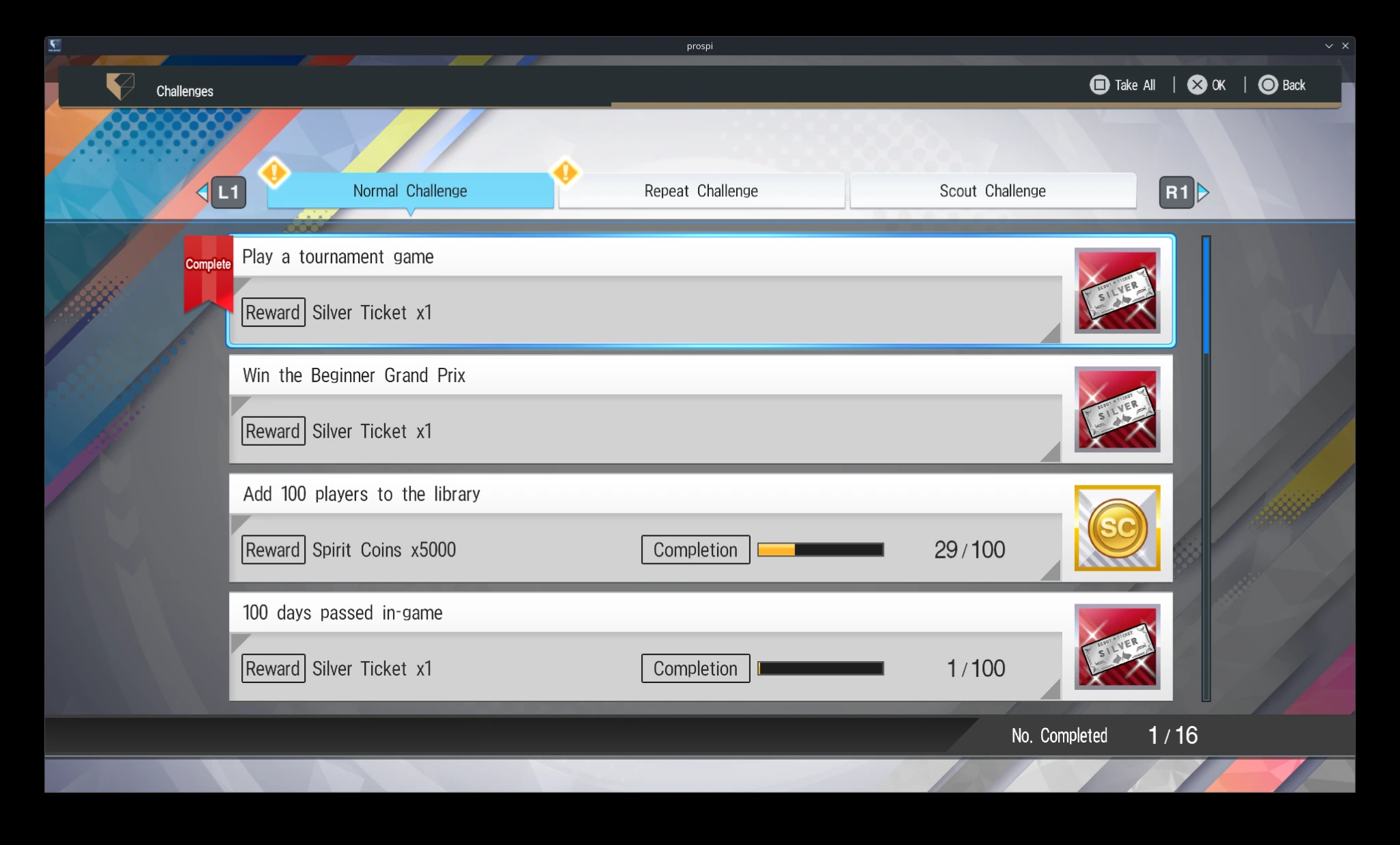
Use the visible requirement and status to decide what can be completed now and whether a finished reward is still waiting to be claimed.
Completed Rewards Must Be Collected
Challenge progress updates after qualifying games and actions. A completed objective is marked Complete, but the reward stays in the Challenges menu until you collect it. Use Take All when several completed rewards are waiting, then assign the new resources before forgetting what need they were meant to solve.
Read the Postgame Result Before Reinvesting
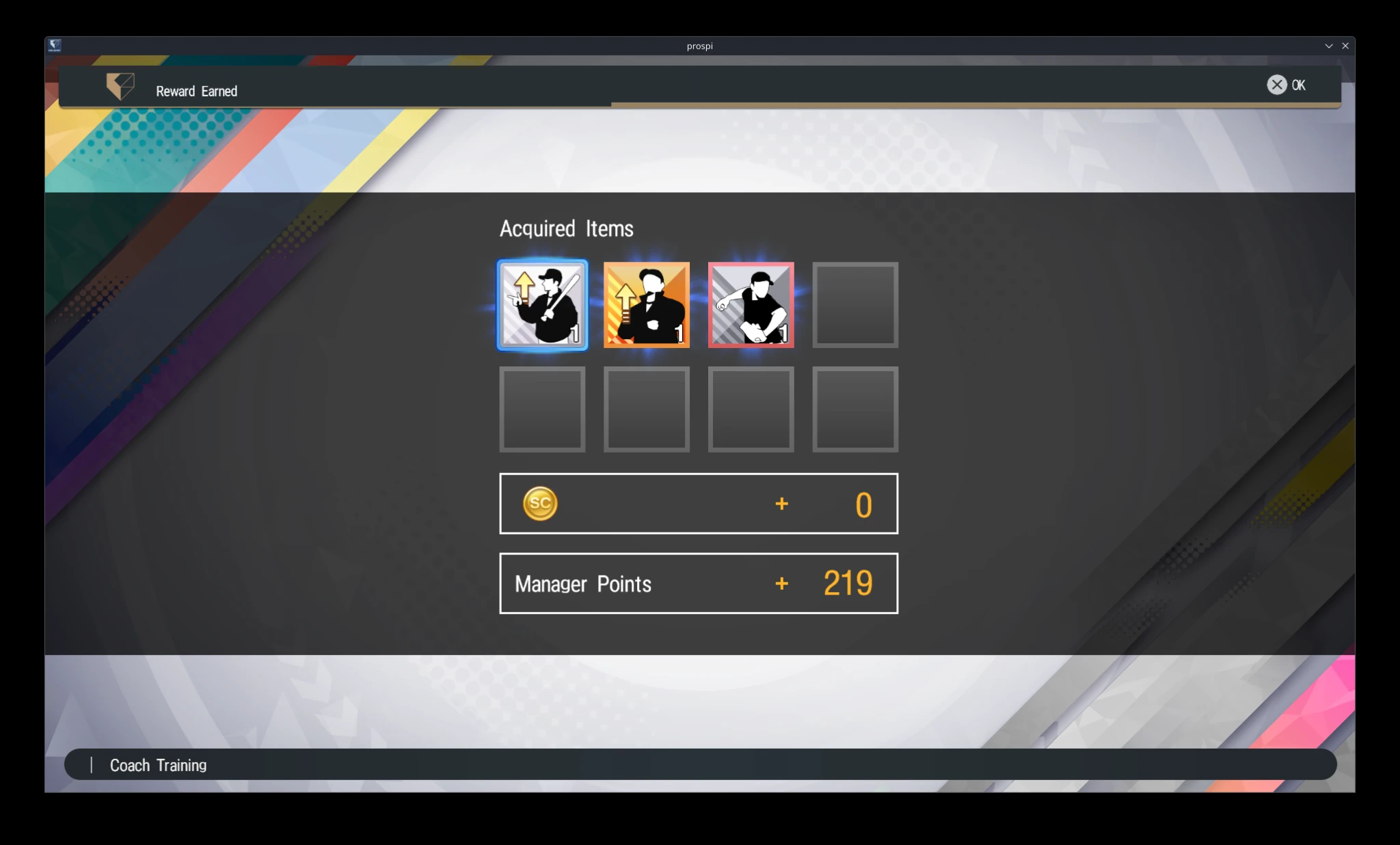
The reward screen confirms what this game produced, including Manager Points. Treat the displayed amounts as the result of this match, not as universal payout values.
Reward and Resource Uses
| Resource | Confirmed use |
|---|---|
| Spirit Coins | Scouting and player upgrades |
| Scouting Tickets | Acquire one player from the ticket's defined pool |
| Enhancement items | Add player EXP or contribute to Breakthroughs |
| Manager Growth items | Add Manager Points |
| Fatigue Recovery items | Recover one player or the full roster |
| Game Items | Bring up to three into an eligible tournament game |
Game Items Are Single-Use Tournament Resources
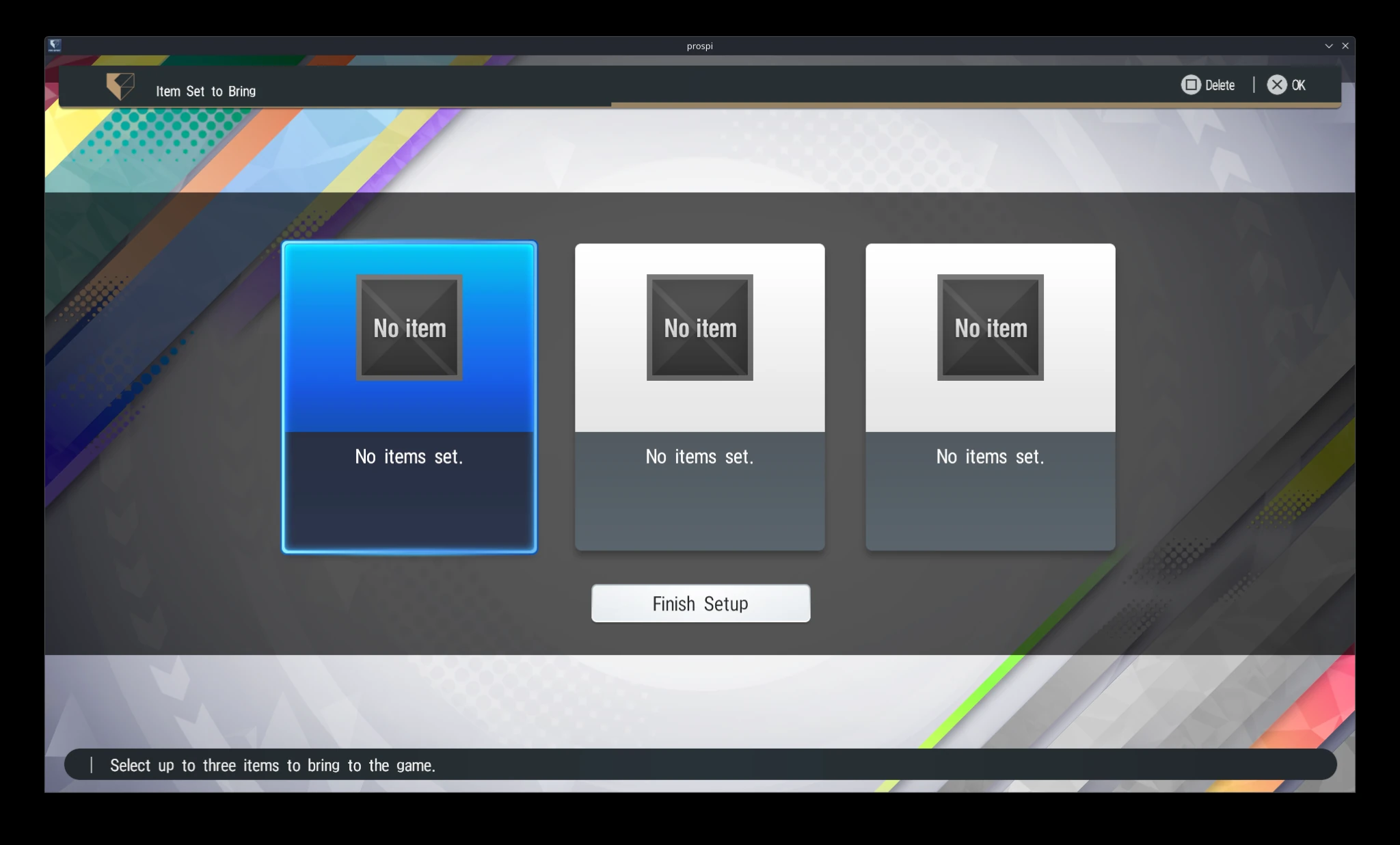
An eligible tournament game can carry at most three Game Items, and each item disappears after use. They come from challenges and tournament rewards. Active Play does not allow them, so check the selected play method before building a game plan around an item.
Game Item Setup Has Three Slots
The setup screen makes the three-item maximum visible. Because each chosen item is consumed, fill a slot only when its effect supports the current tournament game.
Transition Unused Players to Coaches Deliberately
Unused players can be converted into coaches, producing enhancement items or Spirit Coins. Better players produce better items. Before converting, check trade requirements, Scout Challenges, Member Bonuses, duplicate Breakthrough value, depth, and future lineup use so a short-term resource gain does not remove a more valuable option.
Check the Normal Item Inventory Before Converting Value
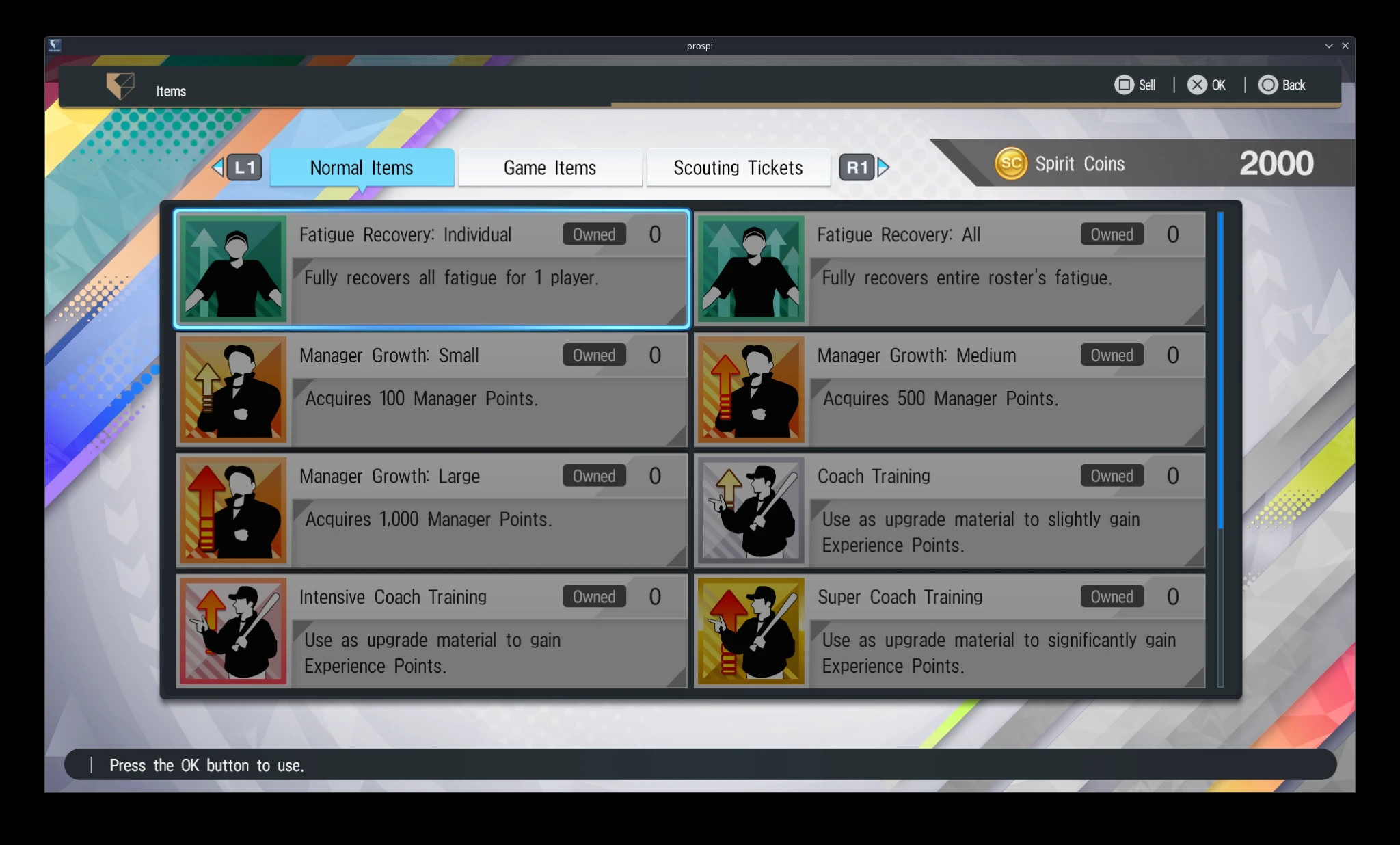
Item descriptions show the resources already available. Review them alongside the player’s other uses before converting someone to obtain more material.
Tournament Victories Create Custom-Team Checkpoints
Each Grand Prix tournament victory allows the winning team to be saved as a custom team. After winning every Grand Prix tournament, the team can be registered at any time through Lineup Settings under My Team. Treat a saved team as a record of a successful competitive build, not only a collection of the highest ranks.
Before Reinvesting Rewards
- Collect every completed objective.
- Identify the next competition or unlock.
- Name the roster, fatigue, development, or manager bottleneck.
- Check whether a player has trade, challenge, bonus, duplicate, or depth value before conversion.
- Spend only where the resource changes the next competitive cycle.
The Repeatable Plan
- Use challenges as planned progression routes, not background checklists.
- Collect rewards and give each resource a specific job.
- Preserve players and items whose value belongs to another connected system.