The Grand Prix Progression Loop
- Use Spirit Coins, Scouting Tickets, and the trade block to fill defined jobs.
- Build the 29-player lineup and check Member Bonuses, fatigue, and depth.
- Match the category, entry conditions, opponent level, play method, and rewards to the squad.
- Create appearances, earn EXP and Manager Points, then invest where the next lineup changes.
- Collect completed challenges and convert rewards into the next roster improvement.
Grand Prix Is a Repeating Team-Building Mode
You acquire players through scouting, tickets, and trades; register tournament lineups; develop players and the manager; and use rewards to improve later attempts. The main hub connects Tournament, My Team, Scouting, Trade, Challenges, Items, and the Manager’s Office. The useful question on every screen is what the next competitive cycle needs.
Read the Hub as a Progression Map
Tournament, My Team, Scouting, Trade, Challenges, Items, and the Manager’s Office are not isolated menus. Each one feeds a different part of the next competitive cycle.
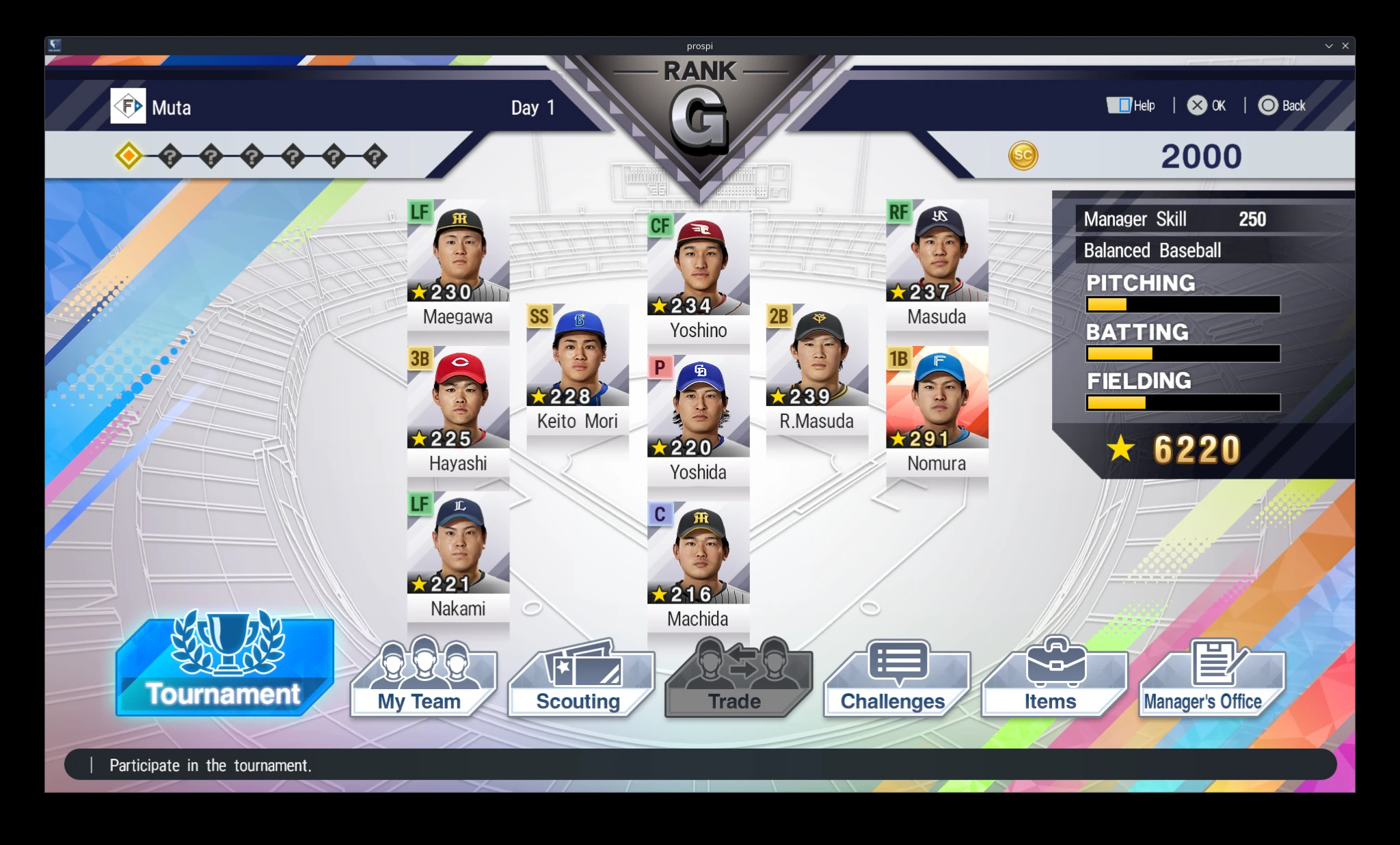
Main Hub Routes
| Route | Confirmed purpose |
|---|---|
| Tournament | Enter Grand Prix, Cup, Invitational, or Selection competitions |
| My Team | Set the lineup, view players, upgrade players, transition players to coaches, and change team settings |
| Scouting | Acquire players with Spirit Coins or Scouting Tickets |
| Trade | Exchange qualifying players for players shown on the trade block |
| Challenges | Track Normal, Repeat, and Scout Challenges and collect completed rewards |
| Items | View and use normal items, Game Items, and Scouting Tickets |
| Manager's Office | Develop Manager Skill and Manager Styles and review related records and settings |
Four Tournament Categories Create Different Routes
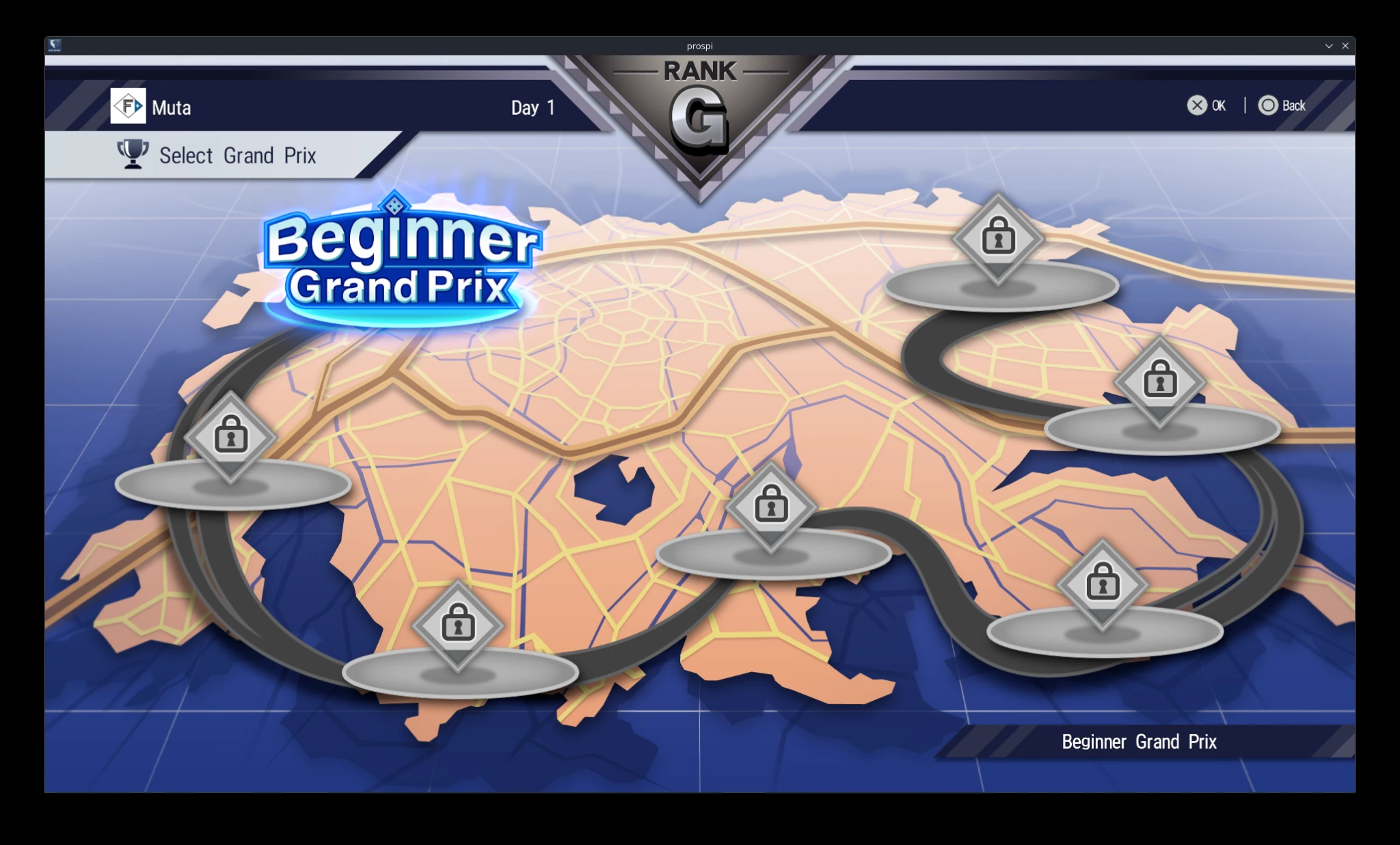
The 2026 Help lists Grand Prix, Cup, Invitational, and Selection tournaments. Winning Grand Prix events unlocks additional Grand Prix, Cup, and Invitational competitions. Selection tournaments instead unlock through specified Scout Challenges. On progression maps such as Beginner Grand Prix, select a locked stage to view its current requirement.
See the Four Competition Categories Together
Grand Prix, Cup, Invitational, and Selection occupy distinct routes. Read the category before assuming the same unlock rule applies to every event.
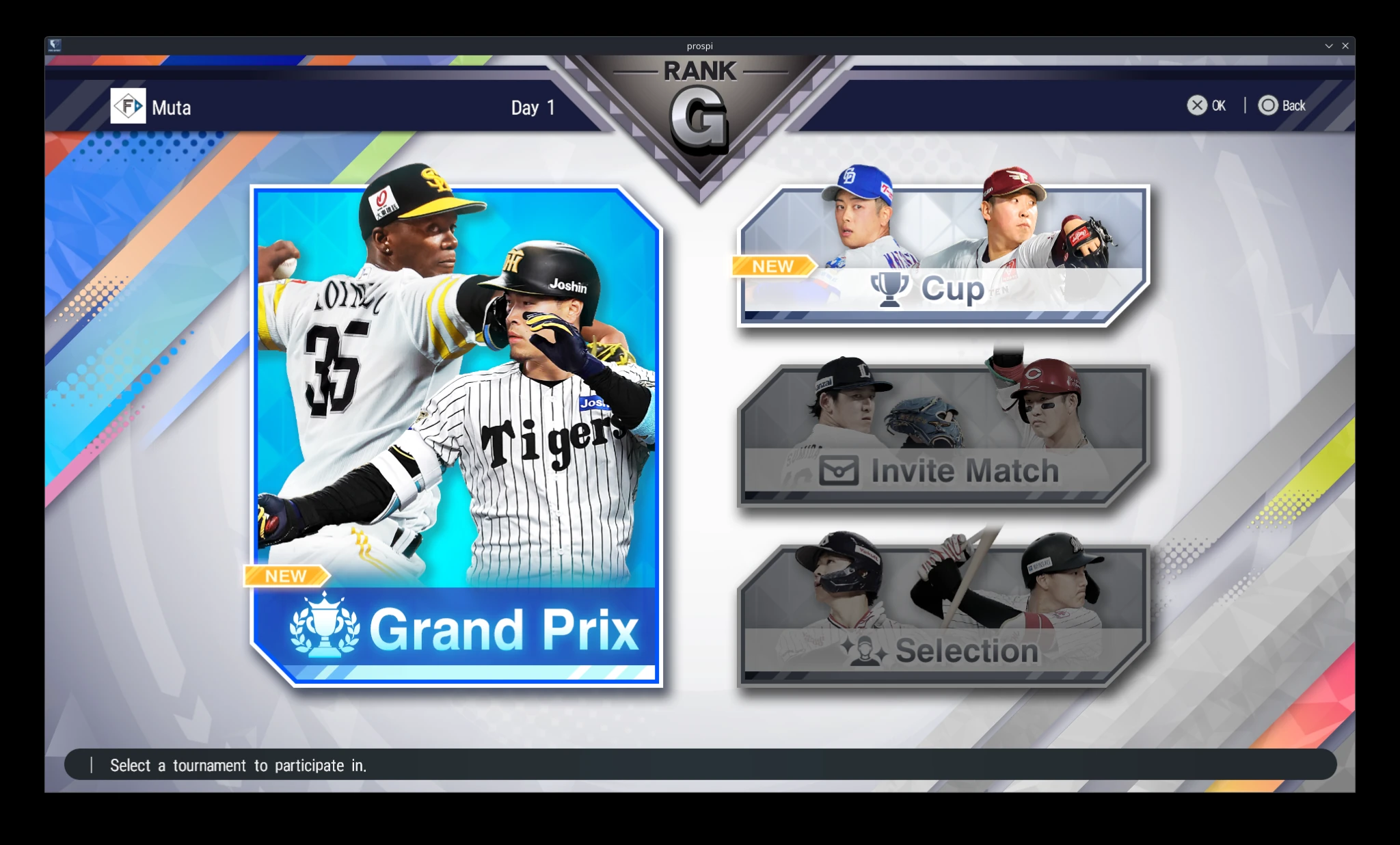
Tournament Categories
| Category | Confirmed role or unlock route |
|---|---|
| Grand Prix | Core tournament progression; victories unlock further tournaments |
| Cup | One of the tournament categories unlocked through Grand Prix progression |
| Invitational | One of the tournament categories unlocked through Grand Prix progression |
| Selection | Unlocked by completing specified Scout Challenges |
Locked Stages Explain Their Requirement
The Beginner Grand Prix map makes progression visible. Select a locked stage to read what the current squad must accomplish next.
Choose How Much of the Game You Want to Control
Manager Play emphasizes tactical plans. Pivotal Play runs automatically until a key turning point. Active Play and Active Pivotal Play become selectable on the View Opponent screen after Active Grand Prix Mode is unlocked through the ProSpi Shop.
Choose the Play Method on the Opponent Screen
Manager Play and Pivotal Play are presented with the opponent information. This is where control style becomes part of the tournament plan.
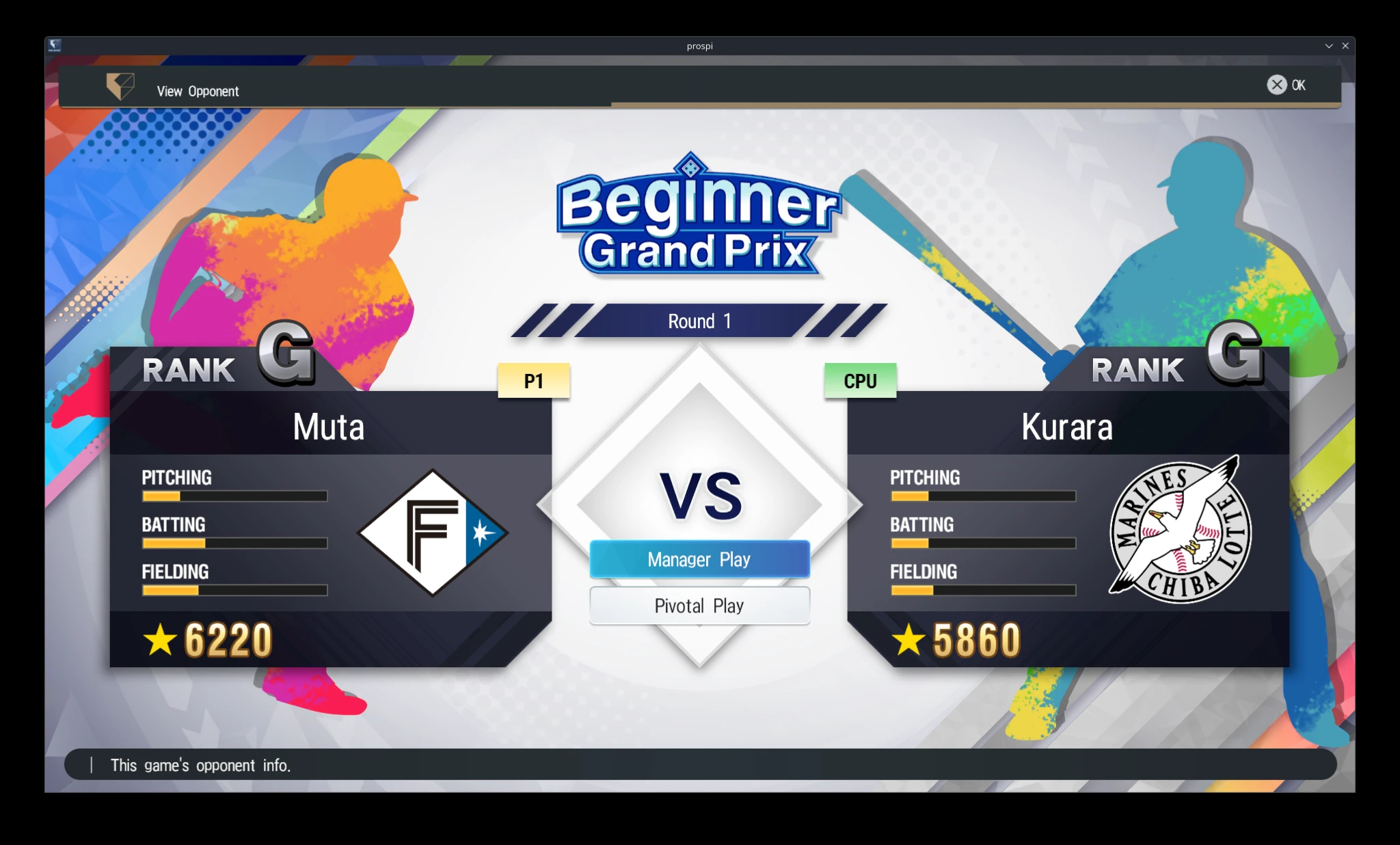
Ways to Play a Tournament Game
| Method | What the game confirms |
|---|---|
| Manager Play | Issue tactical plans and manage the team during the game |
| Pivotal Play | The game runs on auto-play until a key turning point lets you take part |
| Active Play | Unlocked through the ProSpi Shop; it can be selected on the View Opponent screen |
| Active Pivotal Play | Also unlocked with Active Grand Prix Mode and selected on the View Opponent screen |
Before Entering a Competition
- Check category, unlock condition, entry requirement, opponent, and reward.
- Confirm the registered lineup, usable depth, fatigue, and Member Bonuses.
- Choose a play method that supports the objective of the run.
- Know whether Manager Points and Game Items are available under that method.
- Define which reward or unlock makes the tournament worth entering.
The Repeatable Plan
- Build toward the next competition rather than collecting without direction.
- Read tournament category, unlock route, and play-method tradeoffs separately.
- Claim and reinvest rewards so every run improves the next one.