The Practical Route
- Begin with enough assistance to understand the decision before adding mechanical difficulty.
- Separate batting, pitching, fielding, and baserunning while building the basics.
- Know what baseball decision the control is meant to execute.
- Change one assistance or control option after the current layer feels dependable.
One Pitch, Four Connected Decisions
- The defense chooses speed, movement, location, and risk.
- The offense decides whether the pitch is worth attacking and which swing fits.
- Contact creates a route, catch, and throw decision.
- The ball and throw determine whether runners hold, return, or advance.
The Five Pieces of Game State
| Check | What it changes | Beginner question |
|---|---|---|
| Count | Which side must enter the strike zone | Can I wait, or must I protect? |
| Outs | How valuable possession and runner safety are | Would this risk end the inning? |
| Runners | Force plays, steals, relays, and scoring threats | Which base matters most? |
| Score | How much one run or one out is worth | Do I need aggression or control? |
| Inning | How much future opportunity remains | Can I recover from a failed risk? |
Your first screen-reading skill
Use the HUD to Answer One Question at a Time
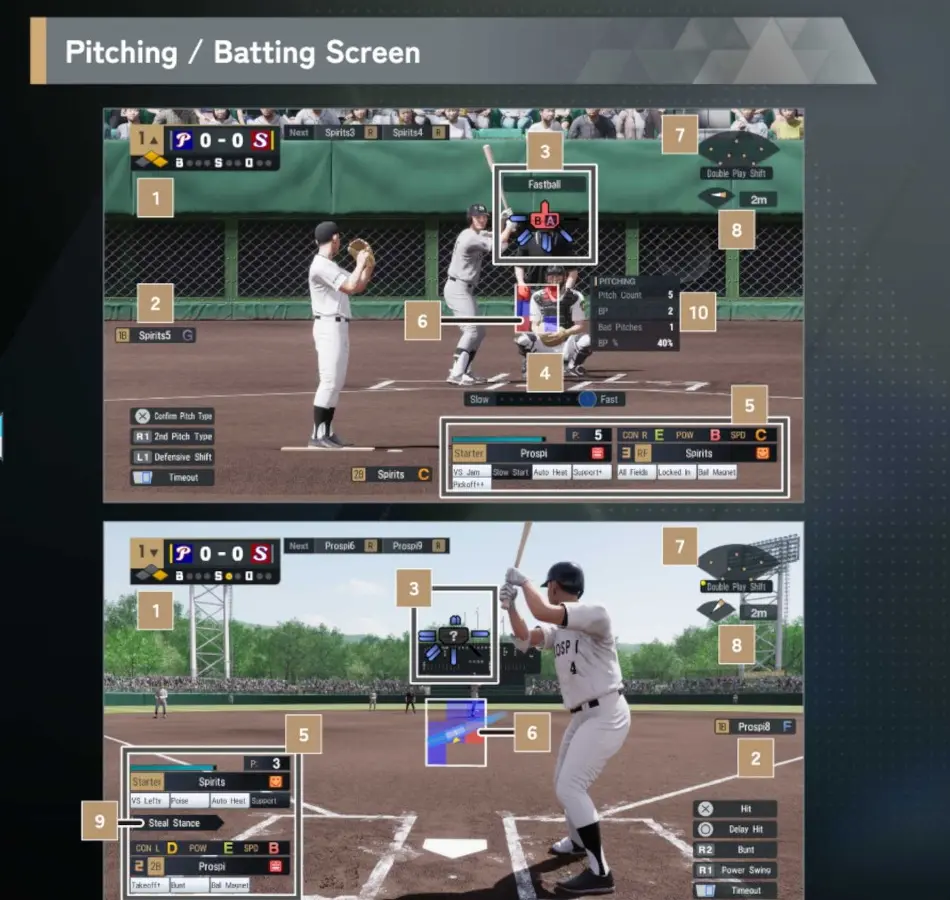
The interface shows far more than a beginner needs on every pitch. Start with the score and inning, then outs and runners, then the active pitcher and batter. Only read an ability or metric when it can change the next decision.
- Score and inning set the urgency.
- Outs and runners define the immediate baseball problem.
- Player condition, stamina, and ratings refine the choice.
Learn the Game in This Order
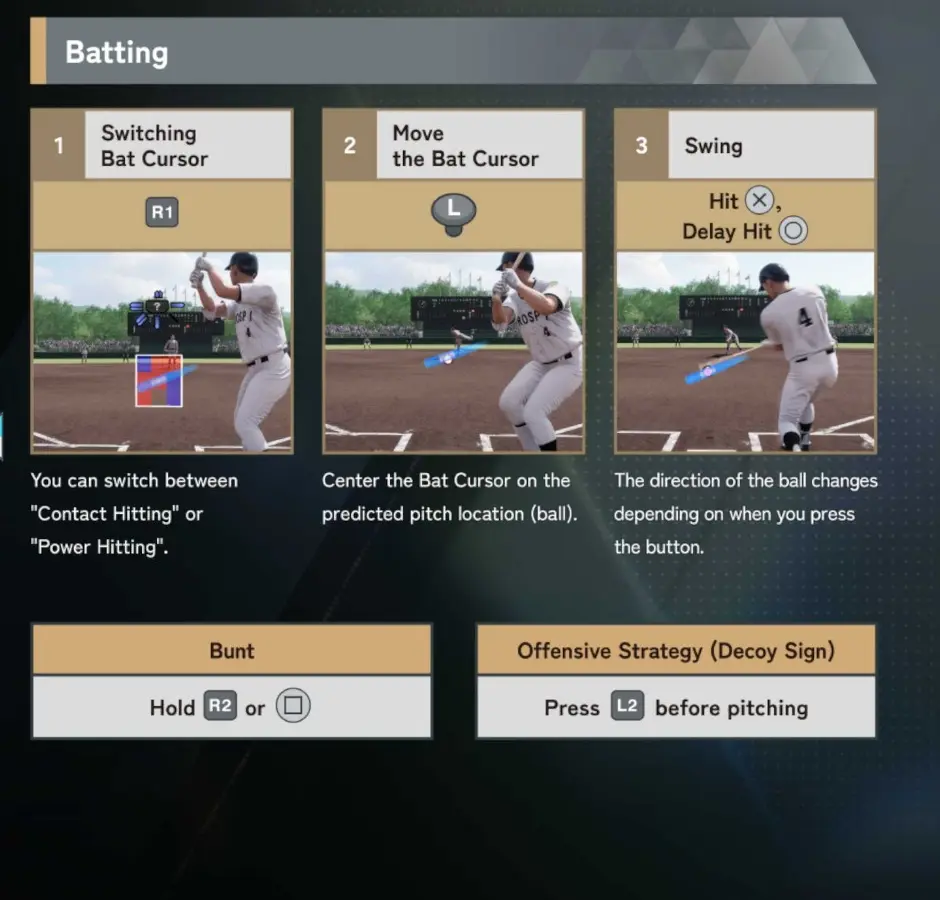
- Begin with batting: choose a zone, read the pitch, and use Normal Swing.
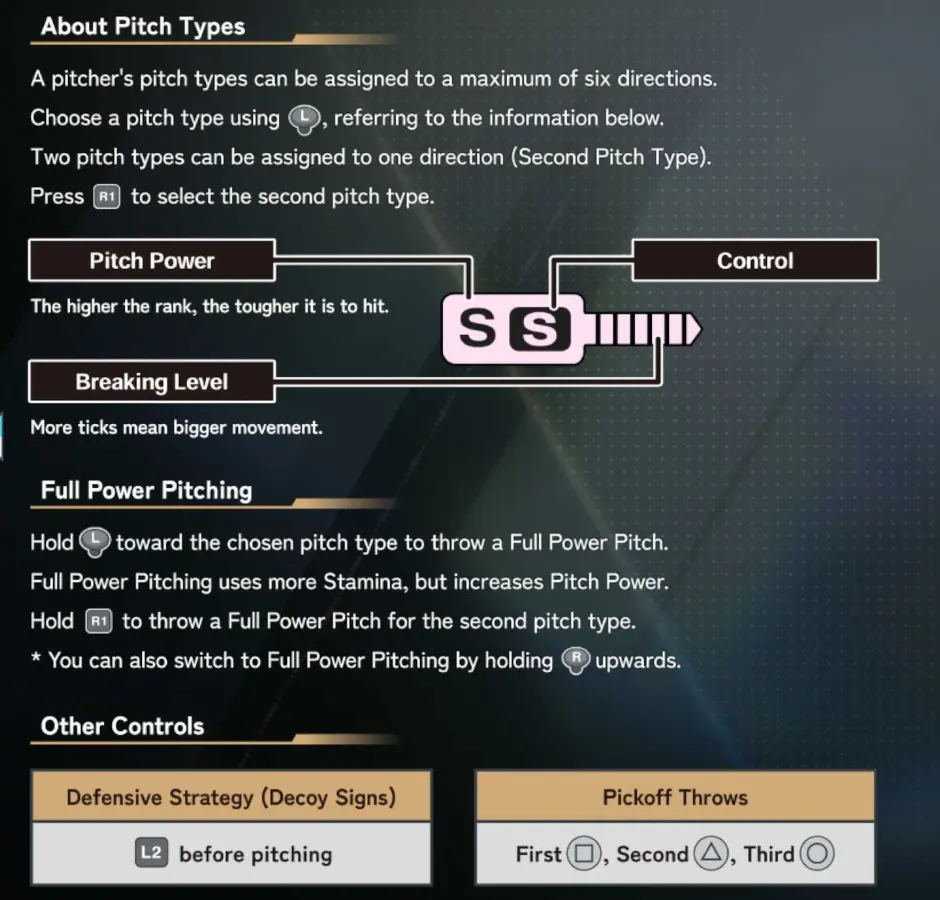
- Add pitching: choose a job, aim the movement, and time the release.
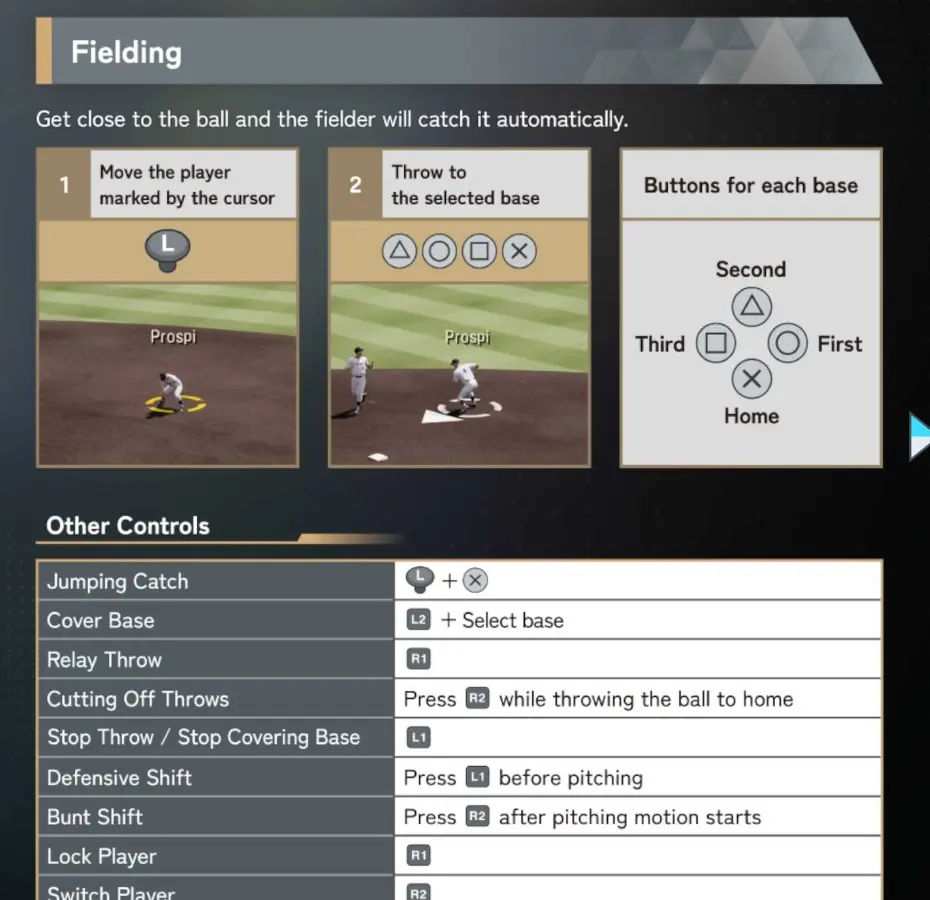
- Add fielding: reach the ball, secure it, and choose the safe valuable out.
- Add baserunning and tactics only after the first three loops feel understandable.
Do Not Try to Learn Every Button at Once
Memorizing the full control sheet before understanding the situation makes the game feel more complex than it is. Learn the small input set needed for the decision in front of you.
A Good Setup Makes Cause and Effect Visible
Assistance is useful when it removes accidental execution without hiding the baseball decision. The best starting profile is not the most manual one; it is the profile that lets you explain why a play succeeded or failed.
Choose Assistance by Subsystem
| Subsystem | Keep support while… | Reduce support when… |
|---|---|---|
| Batting | Pitch recognition already uses most of your attention | You read pitches correctly but cursor execution is now the limit |
| Pitching | Aiming and release timing still feel like one rushed action | You can choose, aim, and release without losing the sequence plan |
| Fielding | Player selection and routes cause accidental misses | You identify the correct fielder and base consistently |
| Baserunning | Conflicting advance and return inputs create outs | You read ball depth and defensive recovery reliably |
The Four Current Control Families
Use these official crops as lookup cards. Open the detailed lesson when you need the decision-making method behind them.
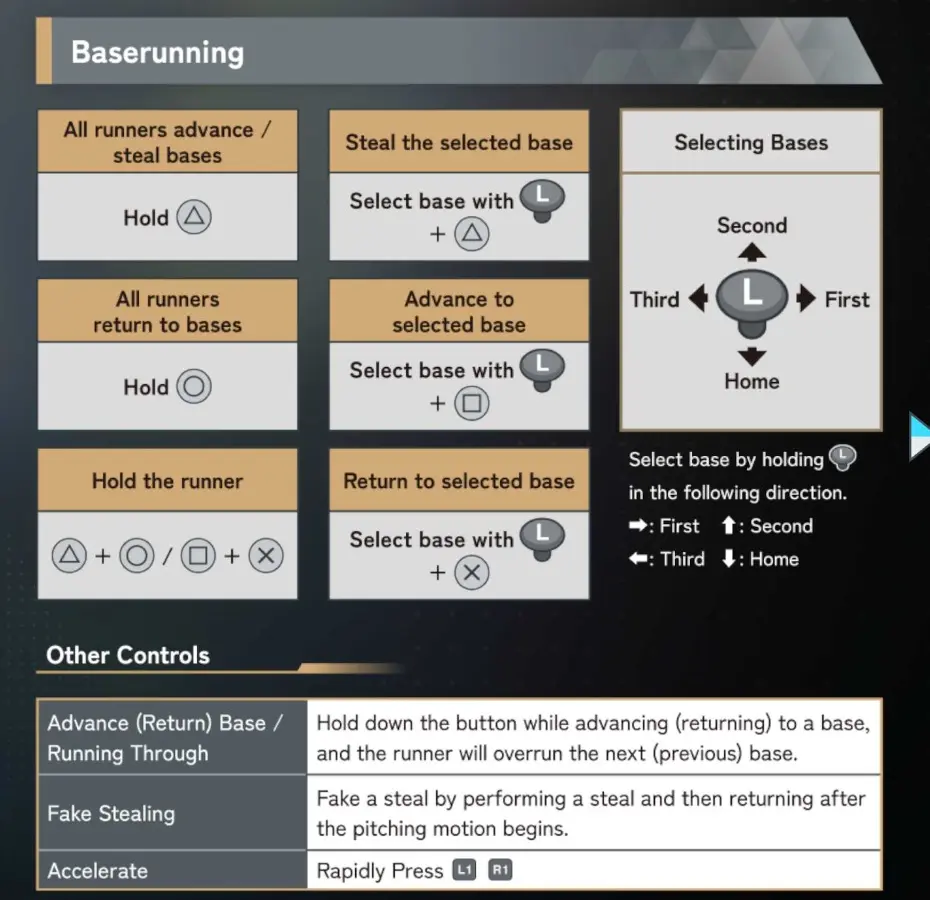
How to Test One Settings Change
- Example: I recognize the pitch but cannot place the cursor accurately.
- Do not change difficulty, camera, and cursor assistance together.
- One plate appearance is too noisy to judge a setup.
- Keep the change only if results are more understandable—not merely easier or harder.
Fixed or Self-Adjusting Difficulty?
| Choice | Best use | Trade-off |
|---|---|---|
| Fixed difficulty | Practice and measuring improvement | Games may become temporarily uneven |
| Self-adjusting difficulty | Maintaining competitive games | It can hide whether the player or opponent changed |
Optional Settings Research
- Do higher CPU levels change pitch-location patterns?: Legacy tests suggest more disciplined CPU patterns at higher difficulty, while pitcher Control still affects spread. The old numbers are not a verified 2026 formula.
- Does condition affect cursor size or pitching consistency?: Older testing found visible condition-related performance changes. The direction is useful context, but the exact 2026 magnitude still requires controlled testing.
- What about mouse batting on Steam?: Official 2026 material supports mouse control for the batting cursor on Steam. Choose it only if it produces more repeatable aiming for your play setup.
The Repeatable Plan
- Start with a control setup that lets you read the game.
- Learn the baseball decision and the input together.
- Add difficulty one layer at a time.