Training Runs on Game Days
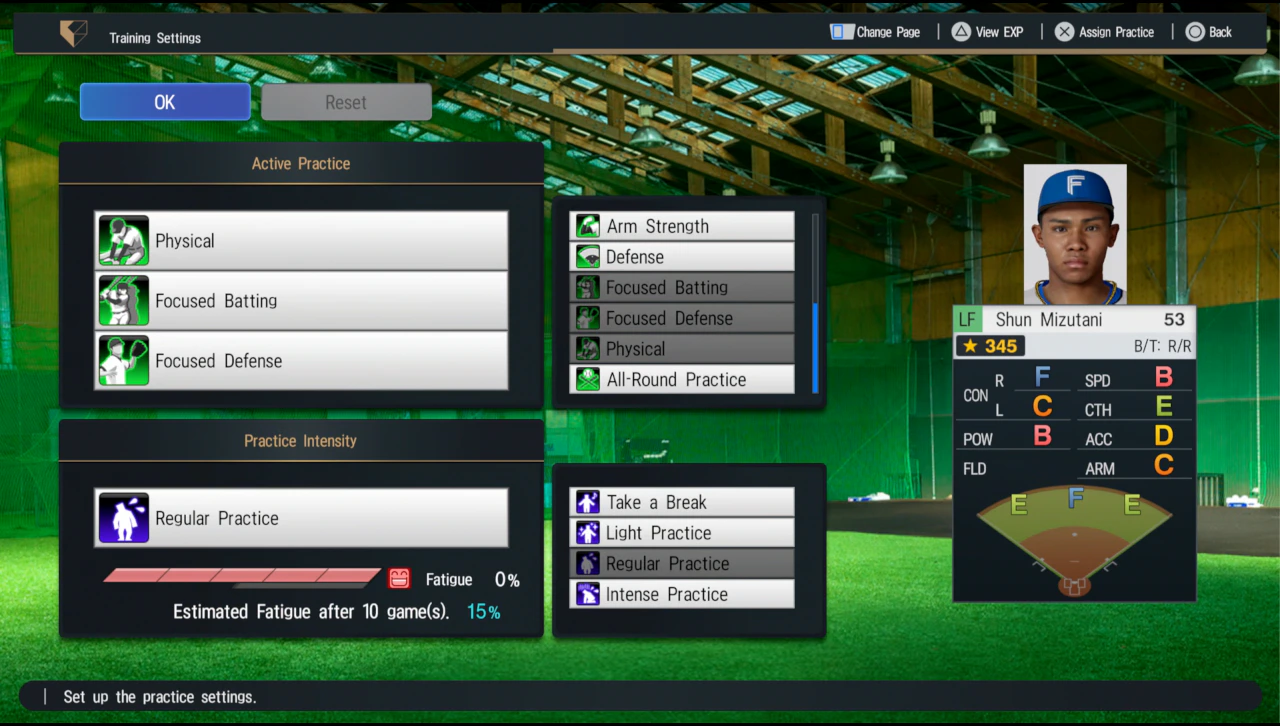
The Practice Settings screen contains three active-practice slots, and all three must be filled. Those practices run automatically on game days. The EXP gained is displayed after the game, and filling an attribute gauge raises that attribute by one point.

Practice Settings Show the Real Workload Tradeoff
Three active slots, four intensity choices, fatigue, and the ten-game estimate let you compare development speed with the Condition needed to remain available.
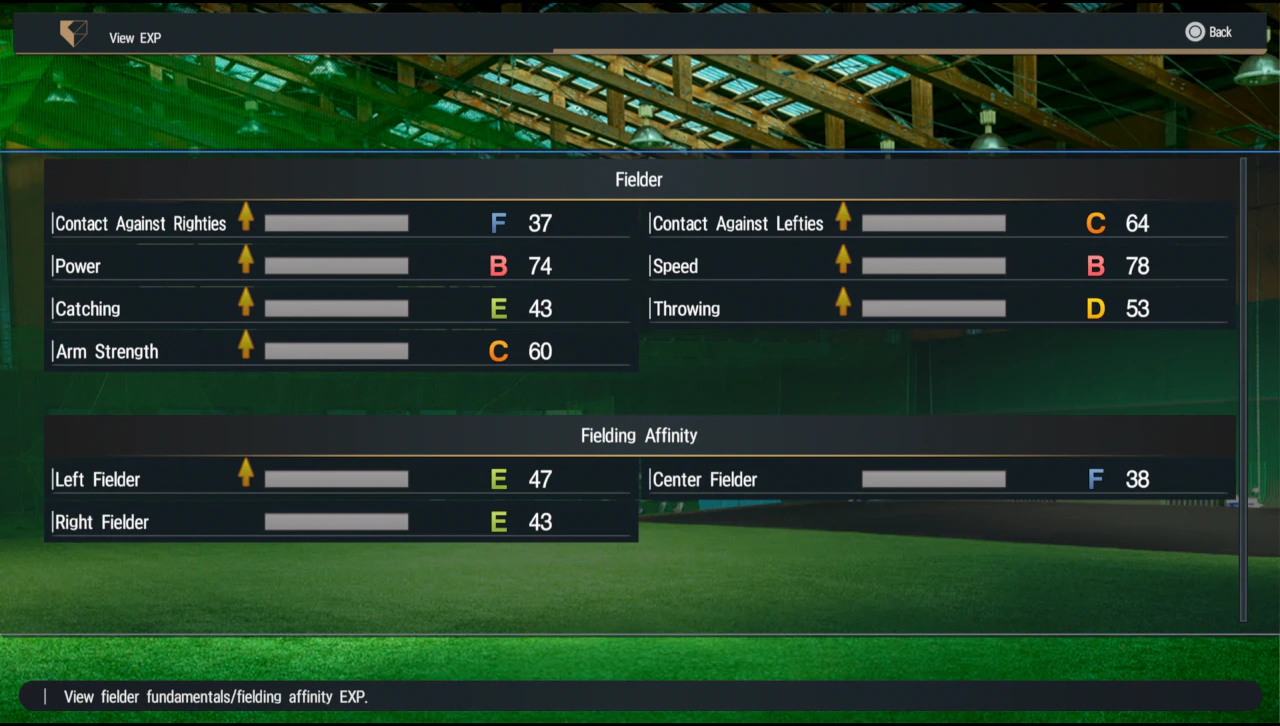
Detailed EXP Reveals More Than the Headline Rating
Attribute and position-affinity progress show which parts of the role are moving. Check the detailed screen when overall value hides the actual development path.
Practice Intensity
| Setting | Development effect | Fatigue effect |
|---|---|---|
| Take a Break | Recovery instead of meaningful training growth | Reduces pressure from accumulated fatigue |
| Light Practice | Lower practice effect | Fatigue builds slowly |
| Regular Practice | Balanced everyday growth | Moderate fatigue |
| Intense Practice | Stronger practice effect | Fatigue builds more quickly |
Fatigue Places a Ceiling on Condition
Daily condition is significantly affected by accumulated fatigue. As the fatigue gauge expands, it blocks the upper end of the condition gauge. The player therefore cannot reach the best possible condition while fatigue remains high—even if the underlying condition would otherwise improve.
Development Flow
| Step | What happens |
|---|---|
| Assign practice | Fill all three active-practice slots |
| Set intensity | Choose the balance between growth and fatigue |
| Play a game day | The assigned practices execute automatically |
| Review EXP | Post-game gauges show growth for each affected attribute |
| Fill the gauge | The attribute rises by one point |
Use This Loop
- All three practice slots must be used.
- Intense Practice improves training effects but accelerates fatigue.
- Fatigue restricts maximum daily condition, so development and availability are one system.