How to Use This Reference
This is a lookup page, not a lesson to read before playing. Choose the question you have, use the focused official crop, then return to the corresponding guide for the decision-making method. Official terminology is preserved; ProSpi Insider explanations are labeled separately.
I Need a Control
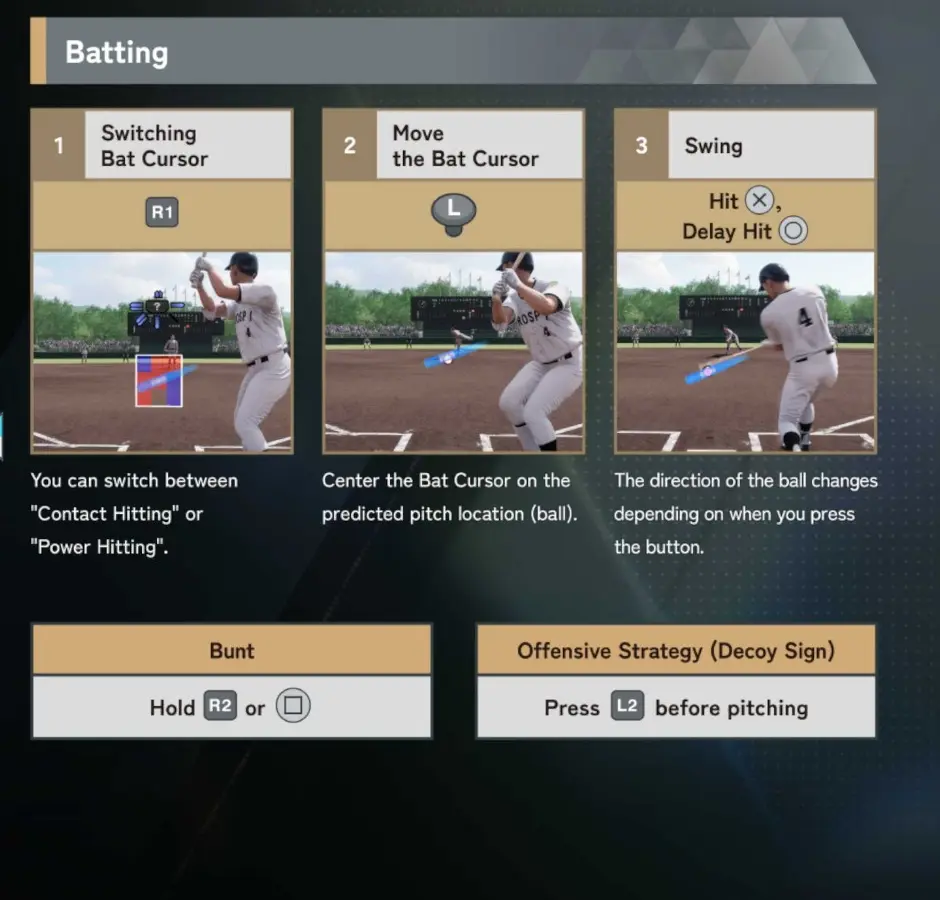
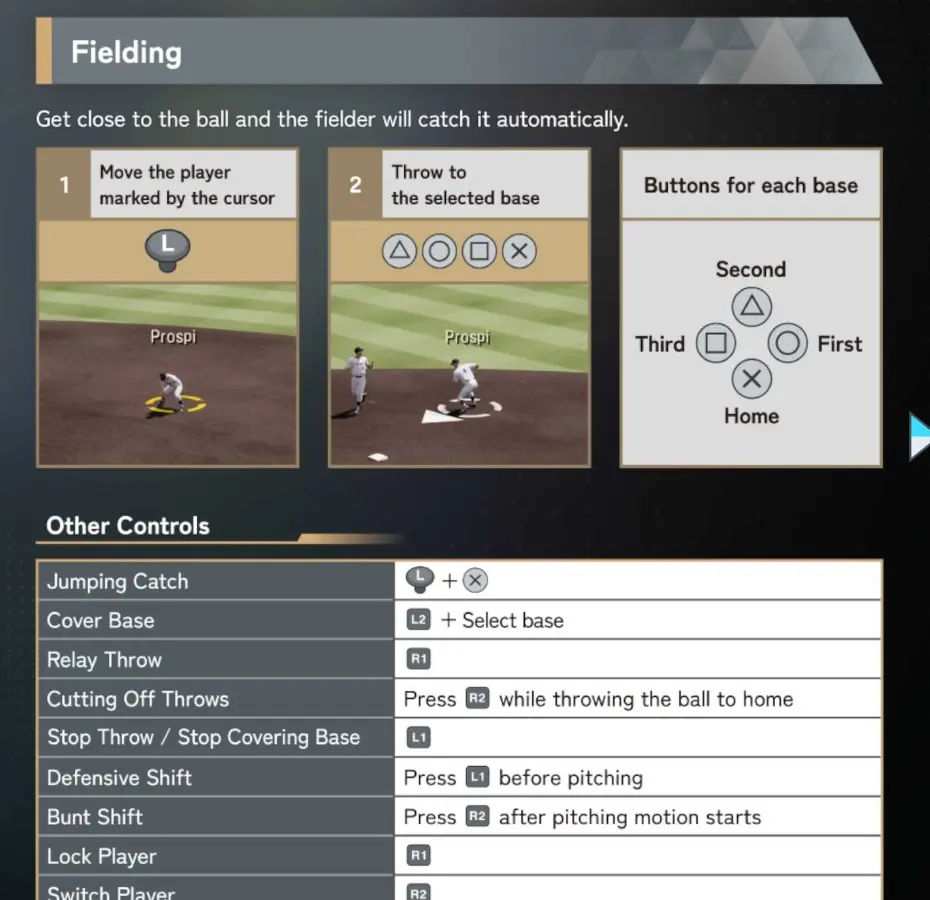
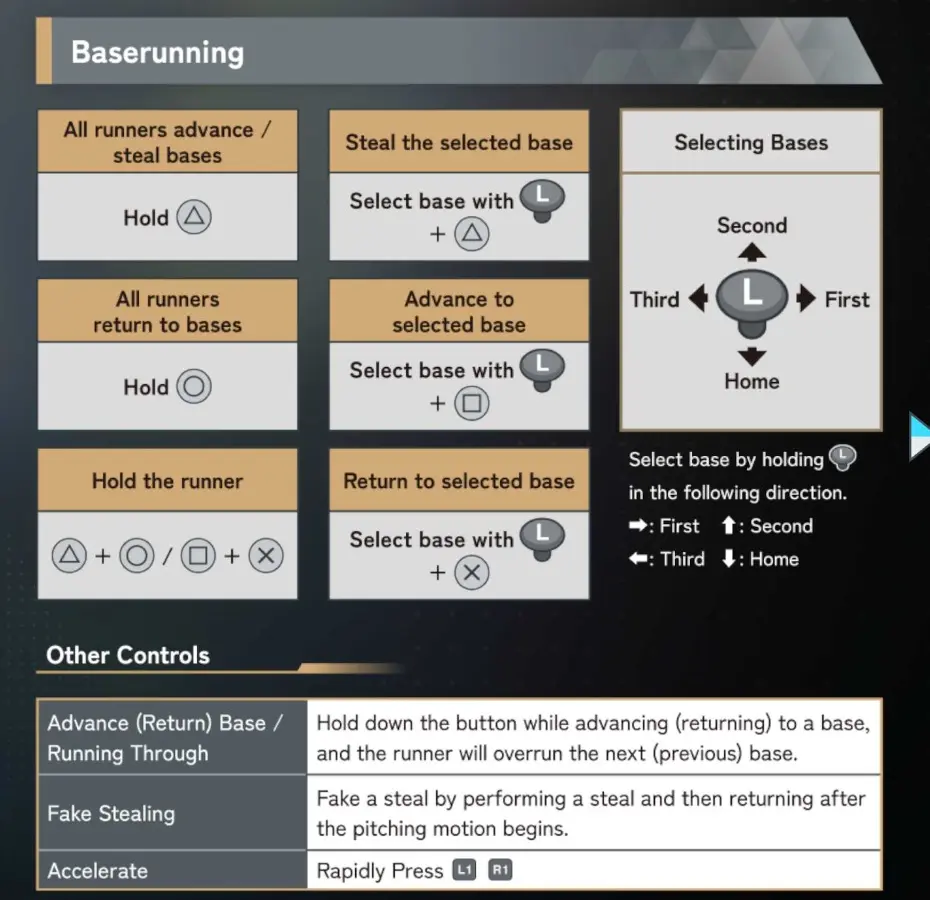
Choose the gameplay phase. Each image is a focused crop from the official English manual.
I Need to Understand Pitching Timing
The official manual separates the four-step pitch process from the explanation of release quality and stamina.
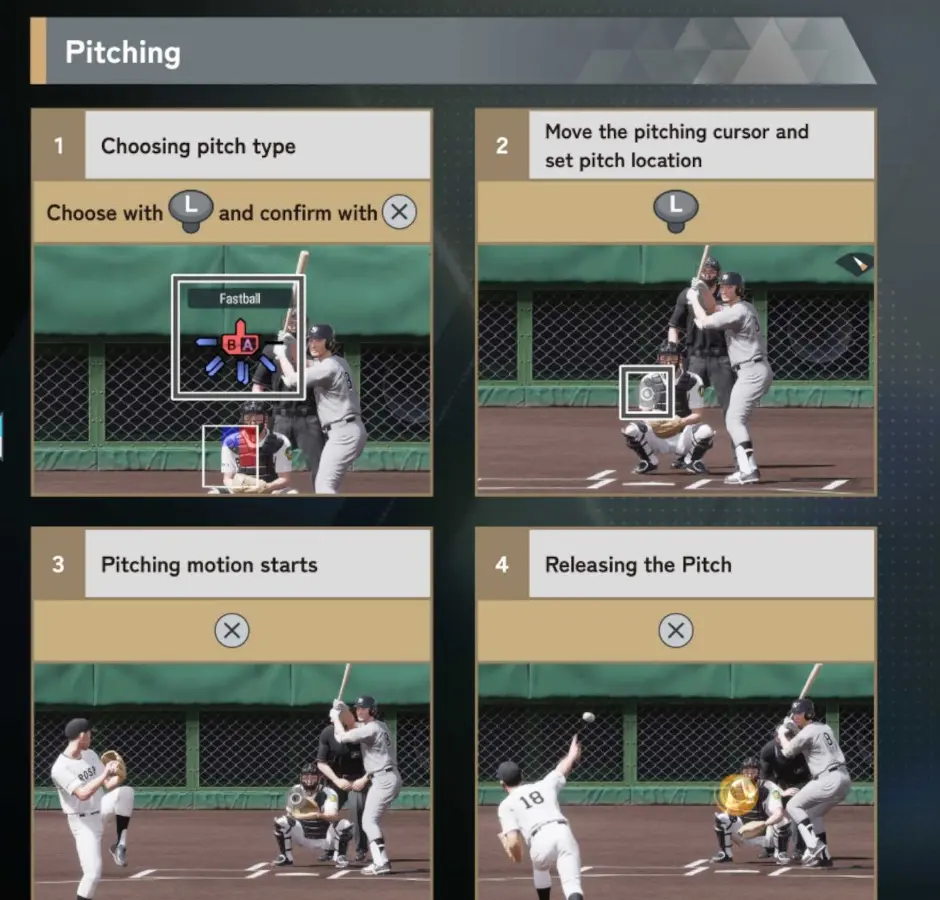
Pitching sequence
Choose the pitch, set the location, start the motion, and time the release.
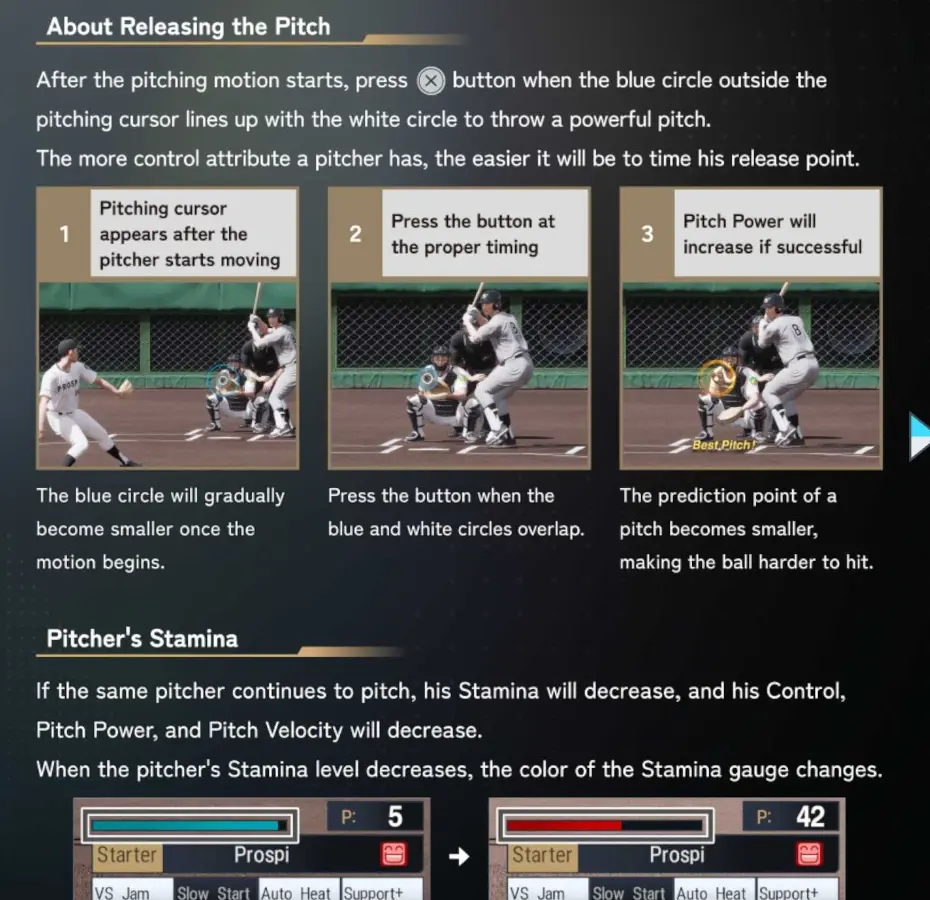
Release and stamina
Release timing changes pitch quality, while fatigue reduces the pitcher’s available performance.
I Need to Read the Screen
Use the numbered HUD for locations and the label crop for what each element means.
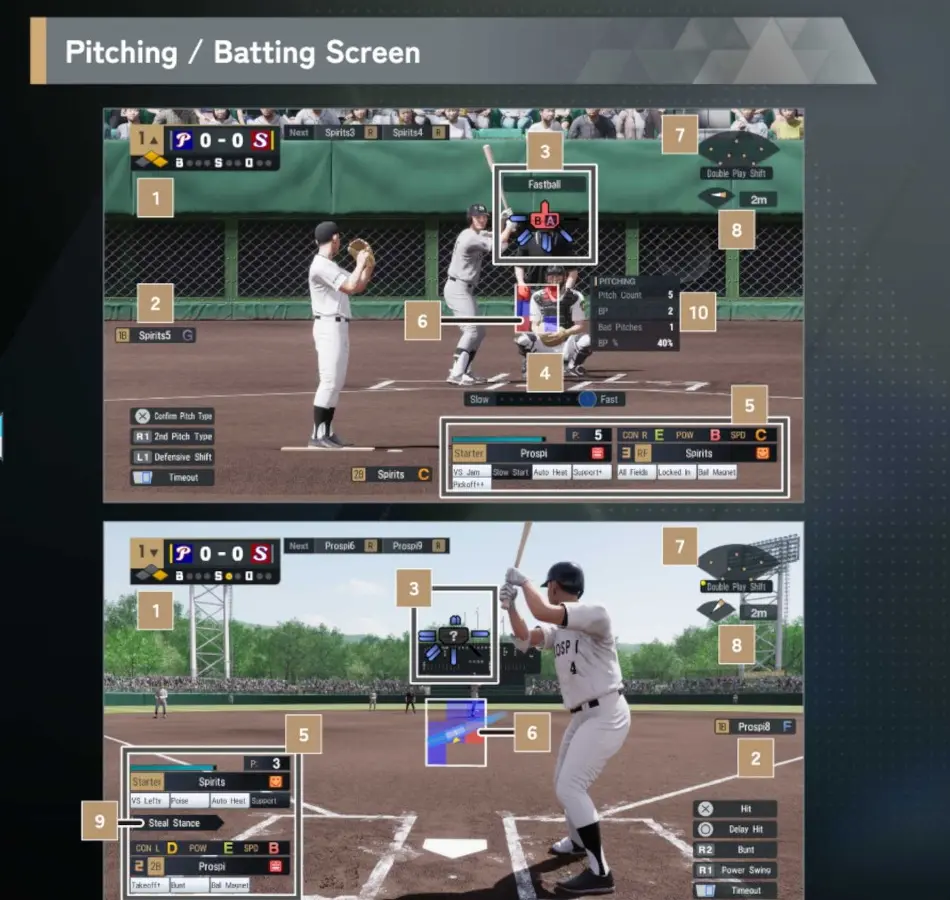
Where information appears
Numbered pitching and batting HUD reference.
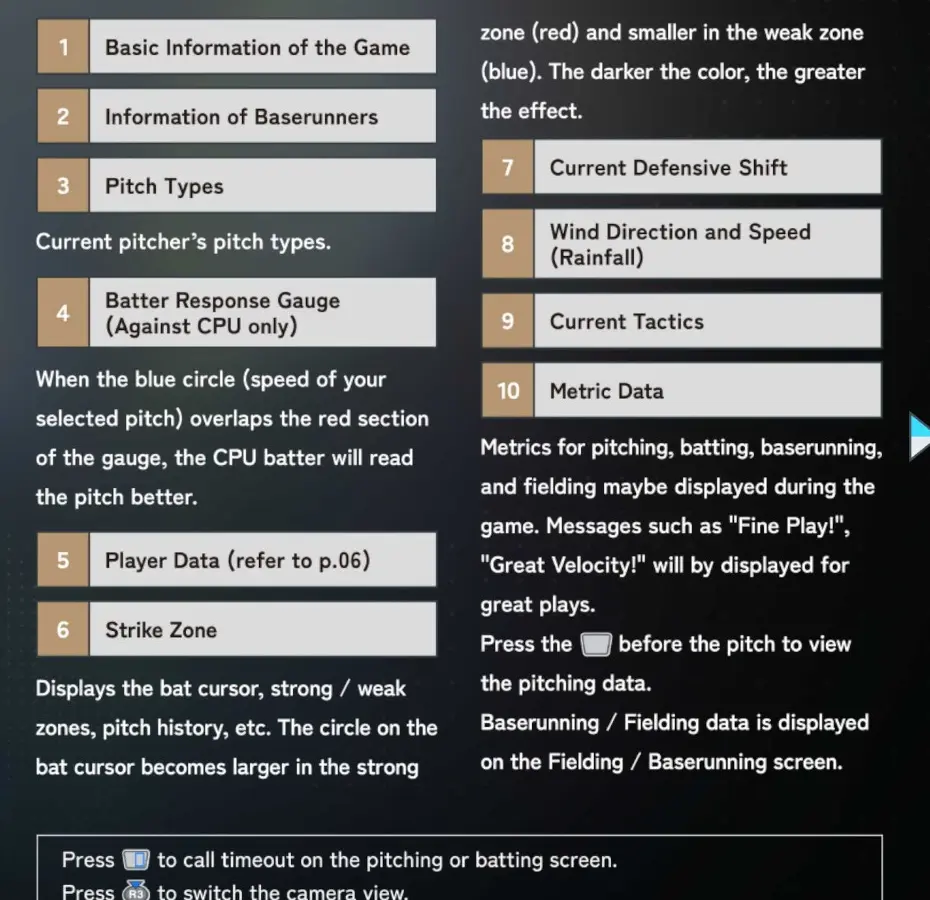
What the information means
Batter Response Gauge, strike zone, tactics, and Metric Data.
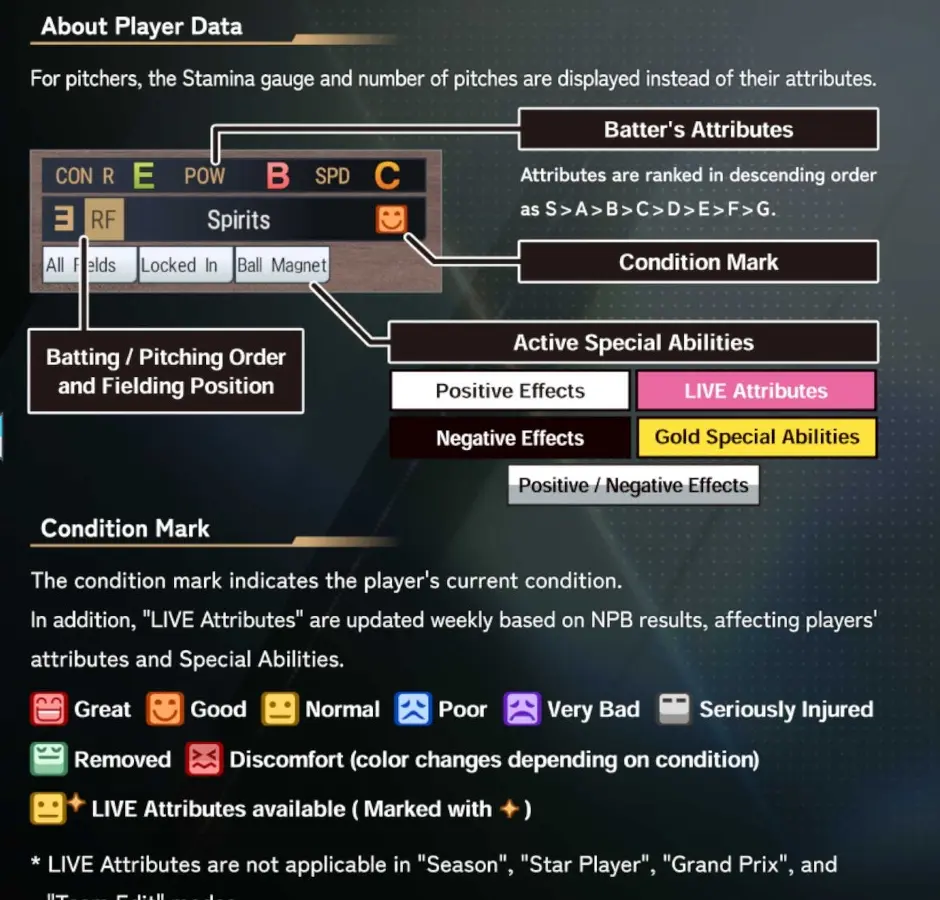
I Need Ratings, Abilities, Positions, or Condition
The player-data reference separates attributes, active abilities, positions, and condition marks. Read these as different layers: tool, situation, role, and current state.
- Attributes describe core capability.
- Abilities modify particular situations.
- Positions show role suitability.
- Condition shows the player’s current state.
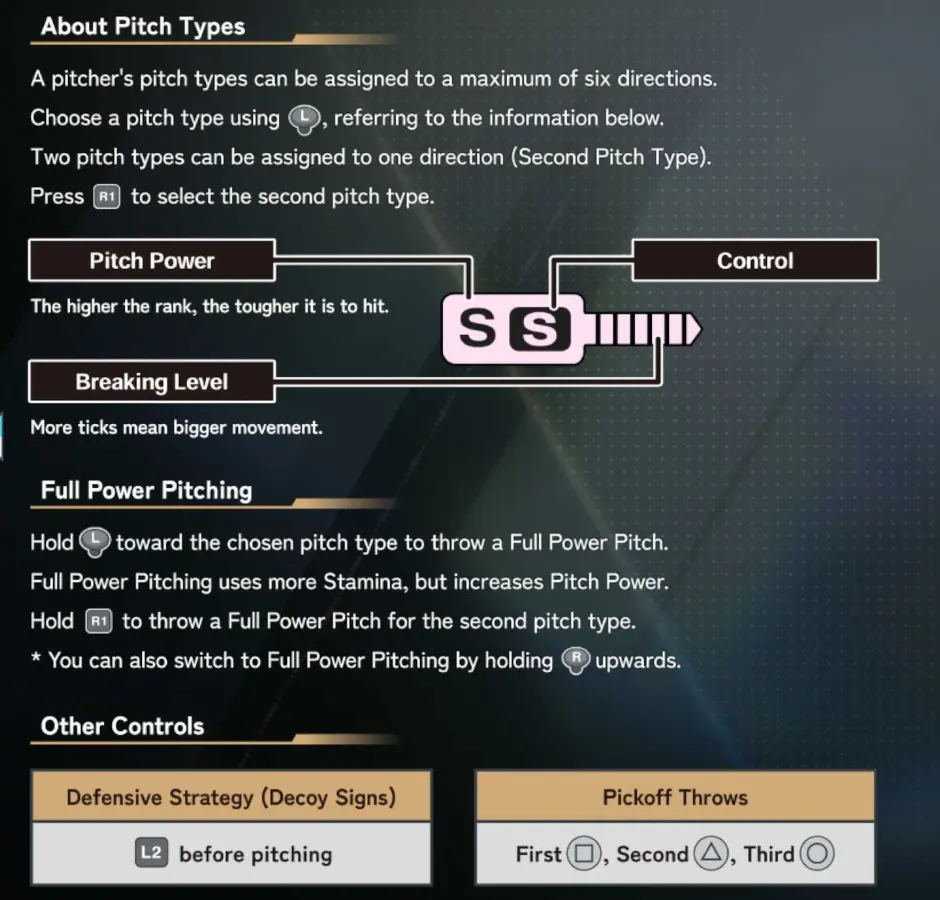
Pitch Display at a Glance
| Display | Official meaning | Practical read |
|---|---|---|
| Pitch Power | Changes the batter’s ball indicator | Higher power makes the pitch harder to read and hit |
| Breaking Level | More ticks mean greater movement | Read movement independently from power |
| Control | Changes the pitch marker | Better Control makes accurate release more manageable |
| Second Pitch Type | A second pitch can share a direction | Use R1 with the assigned direction |
Easy-to-Miss Official Details
- How do I accelerate a runner?: Rapidly press L1 and R1.
- How do I fake a steal?: Begin the steal, then return after the pitching motion starts.
- What does the Batter Response Gauge show?: It indicates which pitch speed the CPU batter expects. Overlap between the selected pitch and a red area means the speed matches that expectation.
- What do red and blue strike-zone areas mean?: Red improves the batter’s contact in that location; blue reduces it. Darker color indicates a stronger effect.
Source and Editorial Method
Official controls, names, ratings, and screen definitions are transcribed from the supplied English PRO SPIRIT 2026 manual screenshots. Coaching appears in the dedicated guides. Unverified mechanics remain labeled questions rather than being filled with assumptions.
Reference, Then Return to the Lesson
- Use focused crops instead of paging through a gallery.
- Choose the gameplay phase or interface question first.
- Treat official definitions and coaching advice as separate layers.
- Return to batting, pitching, fielding, or tactics for the practical method.